
The new DetectOS: built around the asset, not the job
One record per structure, ingestion your operators can see into, and feeds built for distribution scale - live today, and on screen at T&D World Live, Booth 512.
- The platform is organized around the structure, not the inspection job - open one pole and see its whole history.
- Every health score carries a data-confidence figure beside it. Unknown reads as unknown, never as green.
- Every image carries its own processing record, so "where did my images go?" no longer needs an engineer.
- Feeds are server-side and tested against synthetic networks of 700,000 structures at realistic pole spacing.
- Detection did not change in this release, and completed V1 inspections migrate with signed-off findings preserved.
- What does "built around the asset" mean?
- What changed in ingestion?
- How does the new DetectOS handle distribution scale?
- What didn't change in this release?
- How does migration from V1 work?
- How does the new DetectOS handle security and access?
- Where does the Partner Network live now?
- Questions utilities are asking
DetectOS has been rebuilt around the asset rather than the job. The new platform launches today: one record per structure across every inspection it has ever appeared in, an ingestion pipeline your operators can see into, and feeds that hold up on distribution-scale networks.
Here is what changed, what it makes possible, and - just as deliberately - what didn't change.
"DetectOS represents a massive leap forward in how utilities manage their infrastructure. We've evolved the platform from an AI-powered defect-identification tool into a comprehensive asset management system. Now, you can manage the entire lifecycle of an issue, from finding the defect to logging the fix and tracking structural health over time. Supported by our hands-on and guided data quality program to ensure absolute consistency in data capture, DetectOS offers a cleaner, faster, and highly customizable experience that makes scaling your asset management effortless."
- Justin Lee, Chief Technology Officer at Detect
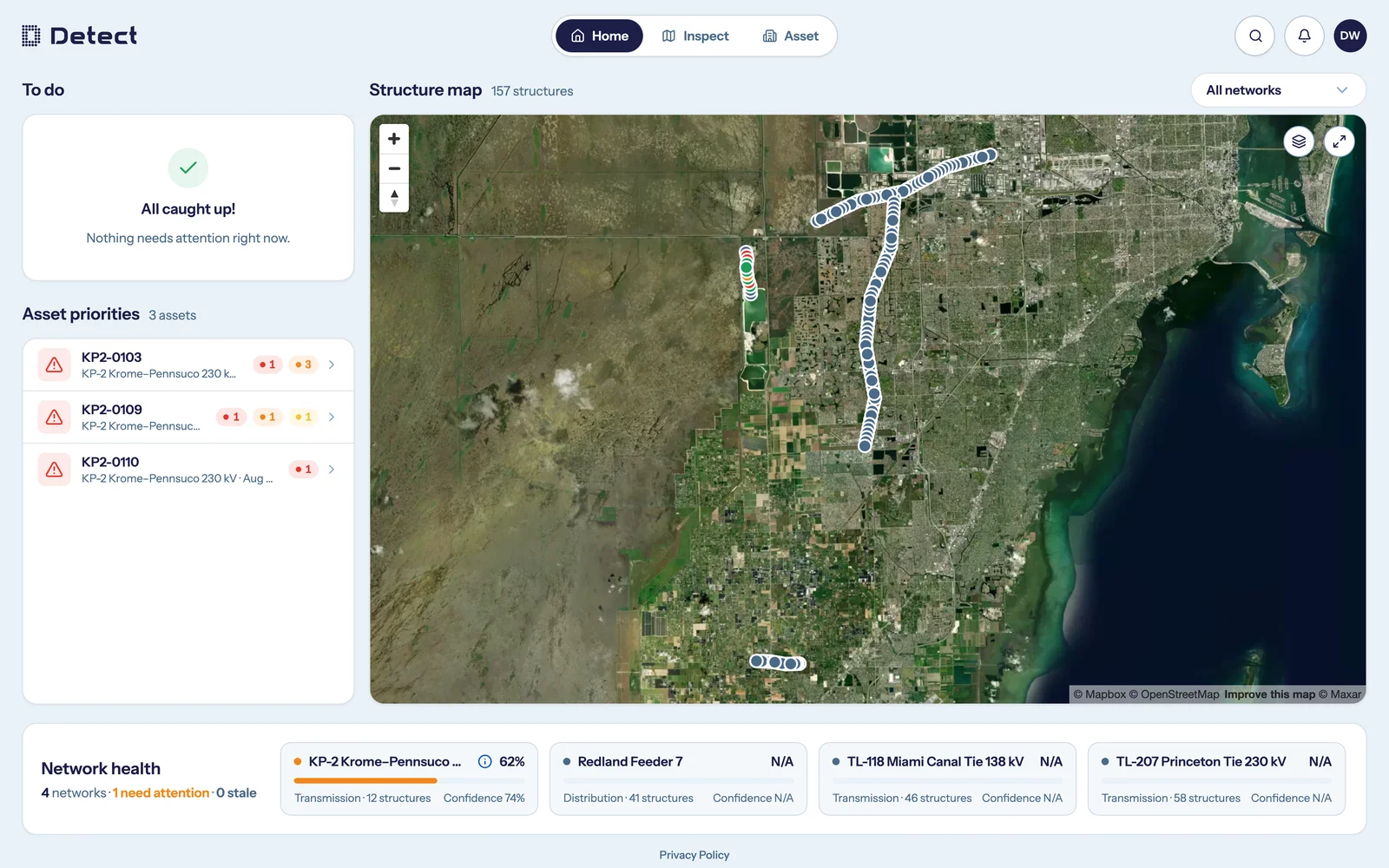
What does "built around the asset" mean?
One pole. One answer. The old DetectOS was organized around the inspection request - the job. Useful, but it meant a structure's history lived scattered across whichever jobs happened to touch it. Ask "what condition is this pole in?" and the honest answer was "which report do you want to trust?"
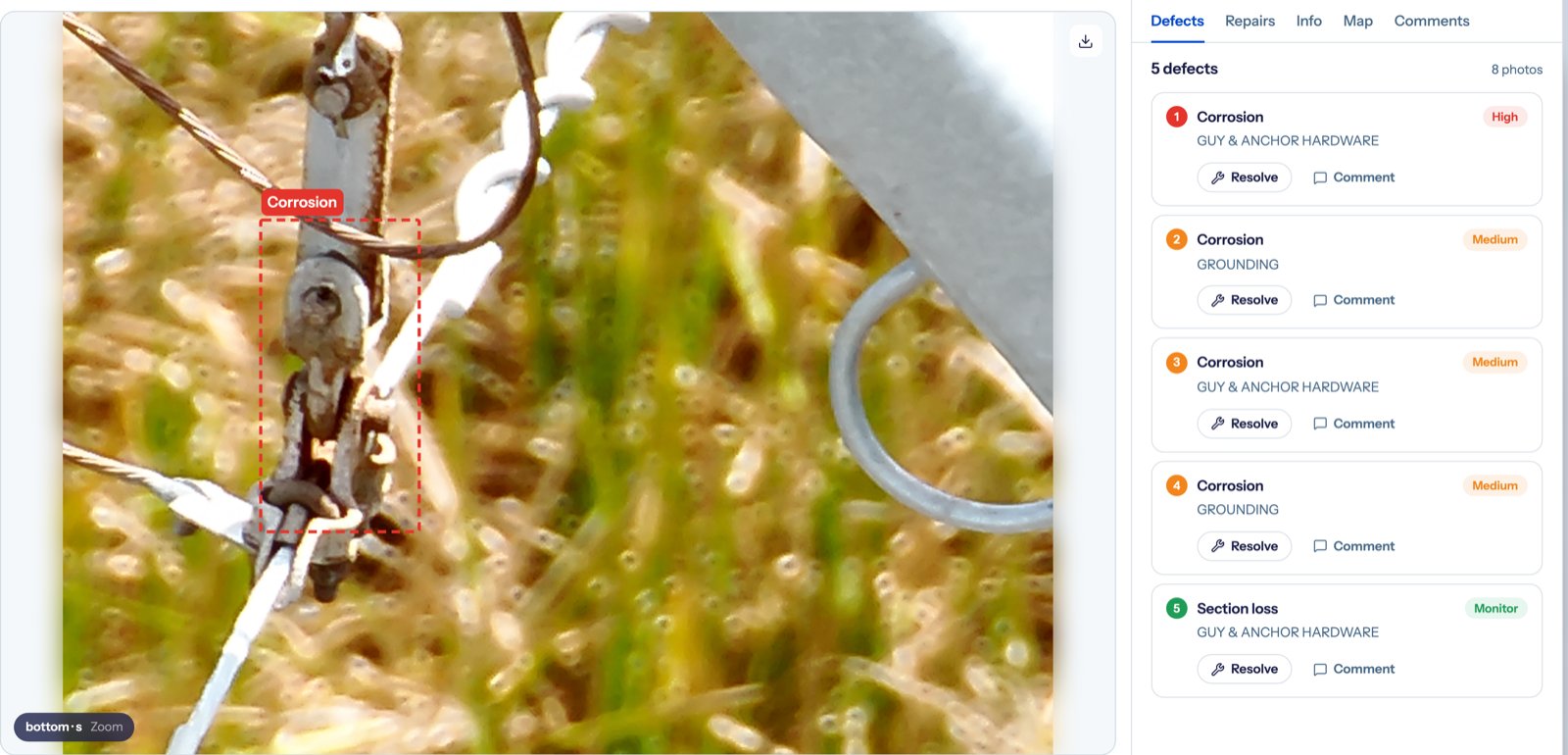
The new DetectOS starts from the structure. Open the Asset tab and you get one pole's whole record: its attributes, its photo history, its defects and repairs over time, across every inspection it appears in.
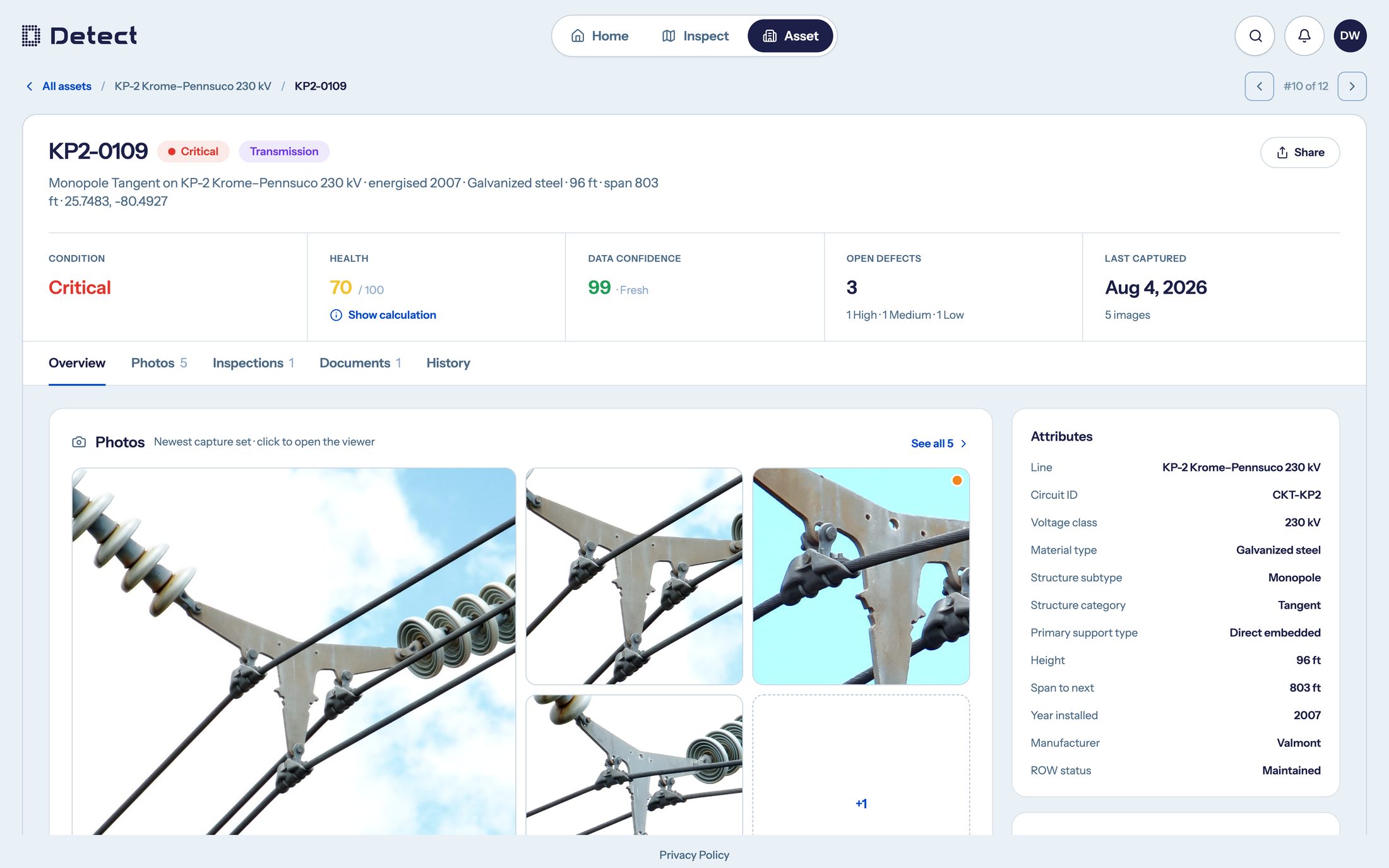
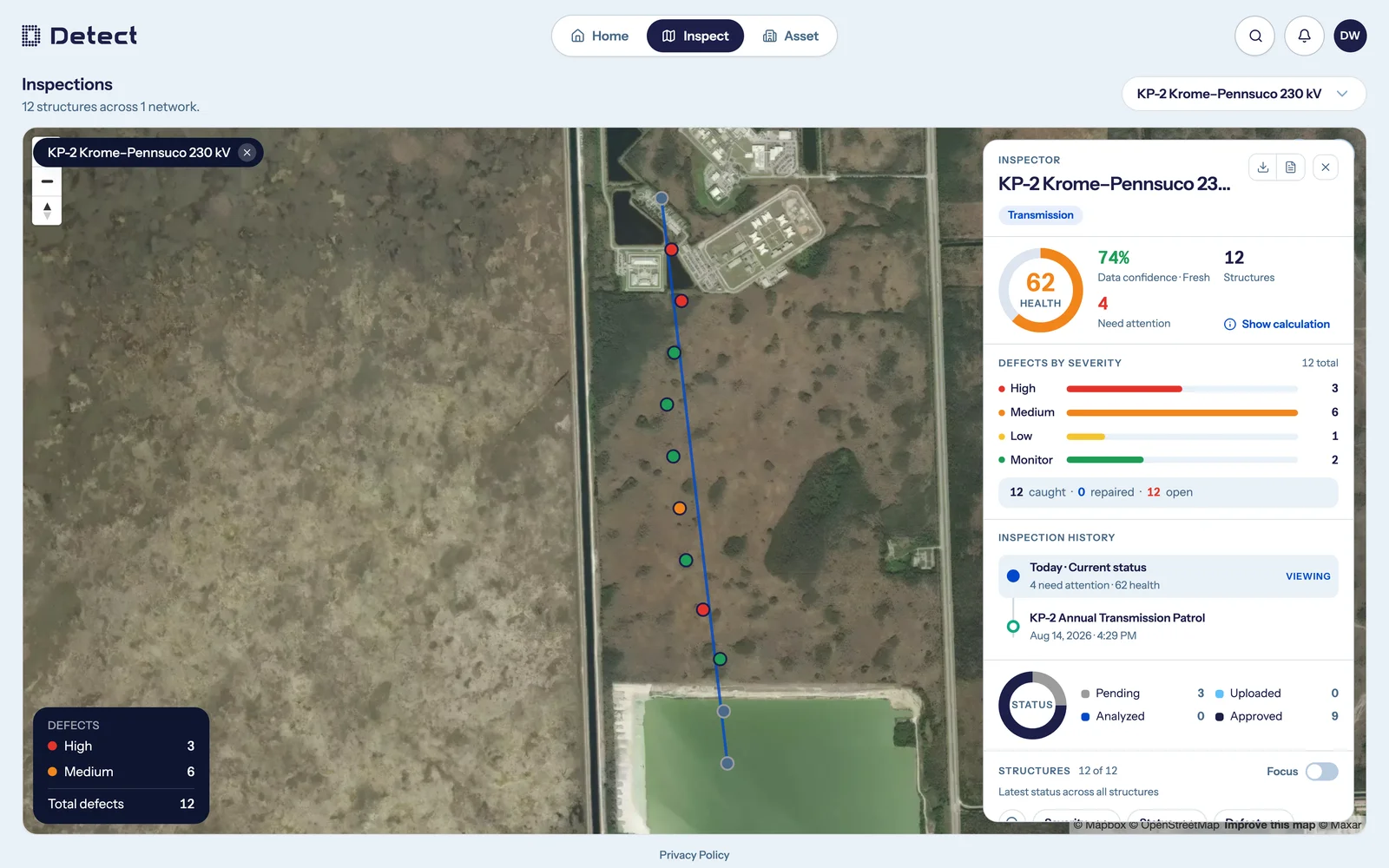
Inspect works the same way. Its Today view resolves each structure independently to the most recent inspection holding processed imagery of that structure - because a network's poles are not all flown on the same day. The map dot, the network health gauge, the defects-by-severity bars, the structure table, the photos, and the boxes drawn on those photos all read from that same anchor. Drag the timeline back and every one of them re-resolves to that date together.
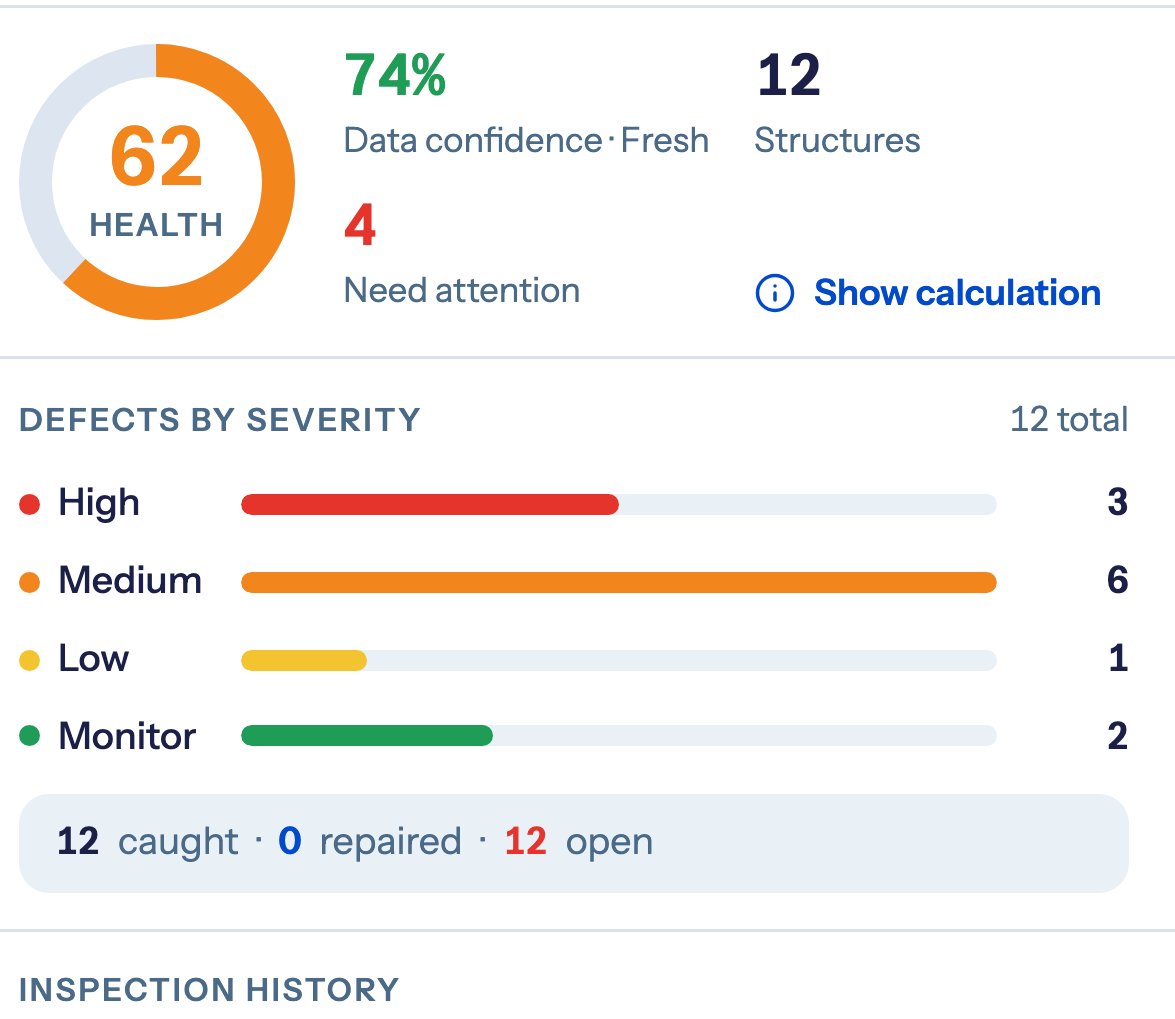
One more thing we built on purpose: honesty about what we don't know. Every health score sits beside a data-confidence figure. A feeder nobody has flown recently reads as unknown - grey, not green. A health number you can't trust is worse than no number, so the platform tells you which one you're looking at.
Repairs are tracked in their own right, so "before repairs" is a toggle on the same data - not a different report. And the defect report exports as CSV, per network or per structure, for today or for any past inspection, with the columns your team picks.
What changed in ingestion?
"Where did my images go?" used to be a support ticket. An image that failed processing left a log line, and the answer came back from an engineer, days later.
Now every image carries its own processing record - one row per stage, with timing and errors. When something sticks, an operator sees what stage it reached and why, and can retry it in place. The question hasn't stopped being asked. It has stopped needing an engineer.
Under the hood, image processing is configuration, not code. The pipeline resolves a profile from the capture source and ingestion channel, then runs an ordered list of stages - associate to a structure, classify the shot, blur faces and plates, store, send for analysis, tile. A new camera, or a truck-mounted rig on one job, is a profile bound to that inspection - not a software release. Ingestion also runs as its own service, out of the path of the app your team is using - so a 4,000-image upload doesn't slow anyone down. Uploads are chunked and resumable, and they survive a dropped connection in the field.
How does the new DetectOS handle distribution scale?
Transmission systems have hundreds of structures. Distribution networks have hundreds of thousands. That difference decides whether an inspection platform serves your whole grid or just the tall part of it.
So the new DetectOS never ships your dataset to the browser. The server ships answers: a viewport-bounded map that aggregates beyond a cap, structure lists paged and filtered server-side, defect feeds summarized per structure, and search that works from anywhere in the app. We've tested the result against synthetic distribution networks of 700,000 structures - built to realistic pole spacing - and the screens hold up.
What didn't change in this release?
Defect detection did not change in this release - same coverage, same severity model. Detection is done by Detect's analysis system and reviewed by people; DetectOS is where your team sees findings on the image, marks repairs, and signs off. Nothing is auto-approved, and no finding you've signed off on is ever re-scored by a migration.
The only models running inside DetectOS itself are privacy blurring - faces and license plates, applied during ingestion - and an internal diagnostic tool that explains failed image processing to our own staff. That one never touches your data or your reports.
How does migration from V1 work?
Moving platforms shouldn't mean abandoning your record. The new DetectOS reads a completed V1 inspection and brings it across: images re-processed through the real pipeline, and the annotations your team already signed off on imported as they are - not re-analyzed, so the findings don't change. Migration is scheduled per customer and run hands-on by Detect, one inspection at a time, and V1 keeps working while it happens. Your Detect team will reach out to plan your move.
How does the new DetectOS handle security and access?
Sign-in is Google, Microsoft Entra ID, or email and password - all invite-only. SSO never creates an account on its own; an un-invited account is rejected. Permissions resolve on the server, in one place: which networks you can reach is per-network membership, and what you can do there is a role - viewer, operations, analyst, admin. Nothing is on by default: a new organization reaches nothing until someone deliberately turns it on.
Where does the Partner Network live now?
The Data Quality Program - Detect's free training and verification for drone pilots - now runs in the Partner Portal, a dedicated tab in DetectOS: the Part 1 course, the Part 2 workflow verification, uploads, and certificates behind one login. Any pilot, any quadcopter drone, flown manually. If you fly, start at the Data Quality Program.
Questions utilities are asking
What happens to the inspections we already have?
They come with you. Detect imports each completed inspection - images re-processed, your signed-off annotations preserved unchanged - so your history reads exactly as it did. Re-running an import is safe: it replaces rather than duplicates.
Is the AI finding the defects? Who checks it?
Detection is done by Detect's analysis system and did not change in this release - same coverage, same severities. DetectOS is where a person reviews findings on the image, marks repairs, and signs off. Nothing is auto-approved.
Who at our company can see and do what?
Two separate controls, both enforced on the server: per-network membership decides reach, and a role - viewer, operations, analyst, admin - decides capability. Access to whole areas of the product is granted per organization, and nothing is on by default. Sign-in is invite-only: Google, Microsoft Entra ID, or email and password.
See it this week
We're at T&D World Live in Orlando September 1-3, Booth 512 - the new DetectOS will be on the screen all day, and Matt Sattler speaks on the GS1 panel Tuesday at 1:15. Or skip the line: book a demo.
